
Avoid This Mistake: The 1 Reason Your Car Bluetooth Fails After a Phone Update
Is your car Bluetooth failing after a new Android/iOS update? The #1 issue isn’t your phone — it’s old pairing data. Learn the quick fix or upgrade to a modern, high-compatibility car Android system Sharjah at Black Feather for seamless connectivity.
The Update Nightmare You Know Too Well
You just updated your Samsung or iPhone. Everything feels faster and cleaner… until you get into your car. Your phone shows “Connected,” but the music won’t play, calls drop, or worse—your phone can’t even detect your vehicle’s Bluetooth system.
In Dubai traffic, a reliable hands-free connection isn’t a luxury — it’s a necessity.
At Black Feather Auto Accessories, we see this panic several times a week. Drivers rush in assuming their whole car Android unit is damaged. But here’s the truth: 90% of the time, the fix is simple — yet the real cause proves why many owners eventually switch to a modern, high-compatibility car Android system in Sharjah.
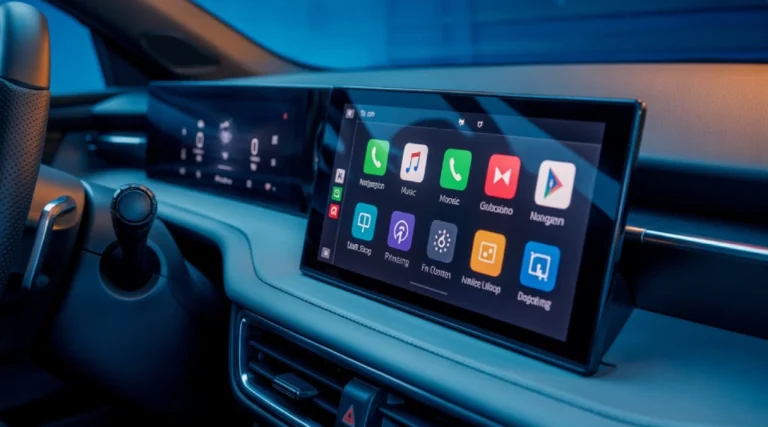
The Expert Diagnosis – Why Software Updates Break the Connection
This is the Expertise section, explaining the technical “why.”
The #1 Mistake: Relying on Old Pairing Data
When you update your phone’s operating system (whether it’s iOS 18 or Android 15), the company (Apple/Google) often changes the Bluetooth Stack.
- What is the Bluetooth Stack? Think of it as the specific set of rules and security protocols your phone uses to talk to another device.
- The Problem: Your phone’s new, smarter rules often clash with the ancient, hardcoded rules stored in your car’s system memory. The phone and the car are speaking two different, incompatible versions of the Bluetooth “language.”
- The Result: Your car’s system holds onto the old “profile” for your phone, which the new software rejects, leading to the dreaded “Car Bluetooth connected but no sound” error.
The Simple, Crucial Solution: The "Clean Slate" Reset
Before you panic and search for a car Android screen installation near me, try this definitive fix:
- On Your Phone: Go to Bluetooth settings. Find your car’s name (e.g., “MyCar Media”). Tap the “i” or gear icon and select “Forget This Device” / “Unpair.”
- On Your Car/Android Screen: This is the critical step often missed! Go to the car stereo’s Bluetooth settings (sometimes called “Paired Devices” or “Bluetooth Memory”). Manually delete your phone’s profile from the car’s memory list.
- Re-Pair: Start the pairing process from scratch. Your phone’s new, updated software will now negotiate a fresh, stable connection with the car.
The Experience Problem – When the Simple Fix Isn't Enough
If the “Clean Slate” reset fails, it means your current factory stereo or old aftermarket head unit is simply too outdated. This is where we discuss the permanent upgrade path.
The Failure to Adapt
Many older factory systems only support a foundational Bluetooth protocol (like Bluetooth 2.1) and cannot handle the security and bandwidth requirements of modern phones (which use Bluetooth 5.0+).
Trying to force a secure, modern phone to connect to an obsolete system is like trying to drive a new Tesla on 1950s roads—it just wasn’t built for it.
The Black Feather Upgrade: Solving the Connection Crisis Permanently
This is why car enthusiasts in Sharjah and Dubai are ditching their old systems for modern car Android screens.
| Feature | Old Factory System | Modern Car Android System |
|---|---|---|
|
Bluetooth Version
|
2.1 or 3.0 (Obsolete)
|
5.0 or Higher (Future-proof, Faster)
|
|
Data Protocol
|
Audio Streaming (Basic)
|
High-Bandwidth Data, Phone Link
|
|
Connection Issue Fix
|
Manual reset needed after every update.
|
Connects instantly and reliably.
|
|
Added Value
|
None.
|
Google Maps, YouTube, 4G, Apple Car Play/Android Auto
|
Trust & Expertise – Safe Installation in Sharjah
You’ve found the perfect upgrade, but the installation must be done correctly — especially with today’s complex vehicle wiring. For safe, seamless integration and full compatibility, trust a professional car android system Sharjah installation that protects your car’s electronics and delivers the performance you expect.
Avoid the Electrical Risk
A car Android system is more than just a screen; it’s a dedicated computer wired into your car’s electrical and CAN-Bus systems. Incorrect wiring can cause:
- Battery Drain: Improperly wired screens can fail to shut down, leading to a dead battery in the morning.
- CAN-Bus Errors: Interference with safety systems like parking sensors or reverse cameras.
- Fire Hazard: Poorly spliced power wires are a severe risk in the UAE’s heat.
At Black Feather in Industrial Area 13, our technicians specialize in custom-fit Android screens. We use plug-and-play harnesses whenever possible, ensuring your installation is safe, neat, and maintains all your factory functions.
Frequently Asked Questions (FAQs)
The fastest fix is a "Clean Slate Reset." Delete your phone from the car's Bluetooth memory AND delete the car from your phone's paired device list. Then, re-pair from scratch.
This is often caused by the phone defaulting to the car for calls but not for media. Check your phone's Bluetooth settings for the car and ensure both "Phone Audio" and "Media Audio" are toggled ON. If the problem persists, the car system might be too old to handle the latest media protocols.
This usually means the two devices are negotiating incompatible security keys. The car's system likely has outdated security protocols that your new phone's operating system is rejecting as unsafe. Deleting the old profile is the required step.
- Put the car head unit into "Pairing Mode."
- On your Android phone, go to Settings > Bluetooth and search for devices.
- Tap the car's name when it appears.
- Confirm the PIN displayed on both screens. If successful, your phone is connected.

Jaison Christi
Author | Smart car care tips for performance, safety, reliability.
10 Years. Ideas. Strategy. Measurable Success.
Share :